The Best ETL Tools in 2026: A Practical Guide with Code Examples
Choosing the right ETL tools is one of the most important, and often confusing, decisions when building a data stack. With dozens of overlapping options, it's not always clear which tools actually fit your needs.
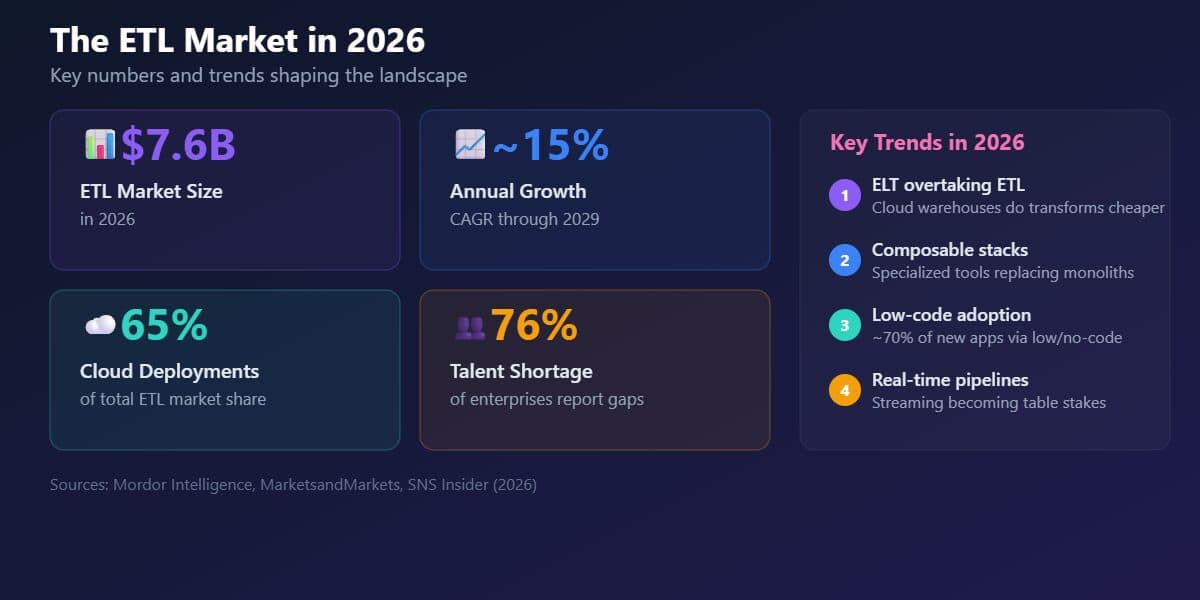
Consider a common scenario: your team is setting up a data warehouse and needs to pull data from several SaaS applications, databases, and CSV files into a single, clean, analysis-ready system. The tools you choose will shape how your data workflows operate for years. The challenge is growing alongside the market. The broader data integration market, which includes ETL, is expanding rapidly (valued at about \$7.6 billion in 2026 and growing at ~15% annually).
This guide helps you navigate that landscape with clarity. You'll see how ETL works in practice, understand how tools fit into a modern data stack, and develop a framework for choosing the right setup for your team.
At Dataquest, we focus on hands-on learning, covering tools like PySpark for building pipelines, Apache Airflow for orchestration, and dbt for transformations, and that practical perspective informs this guide.
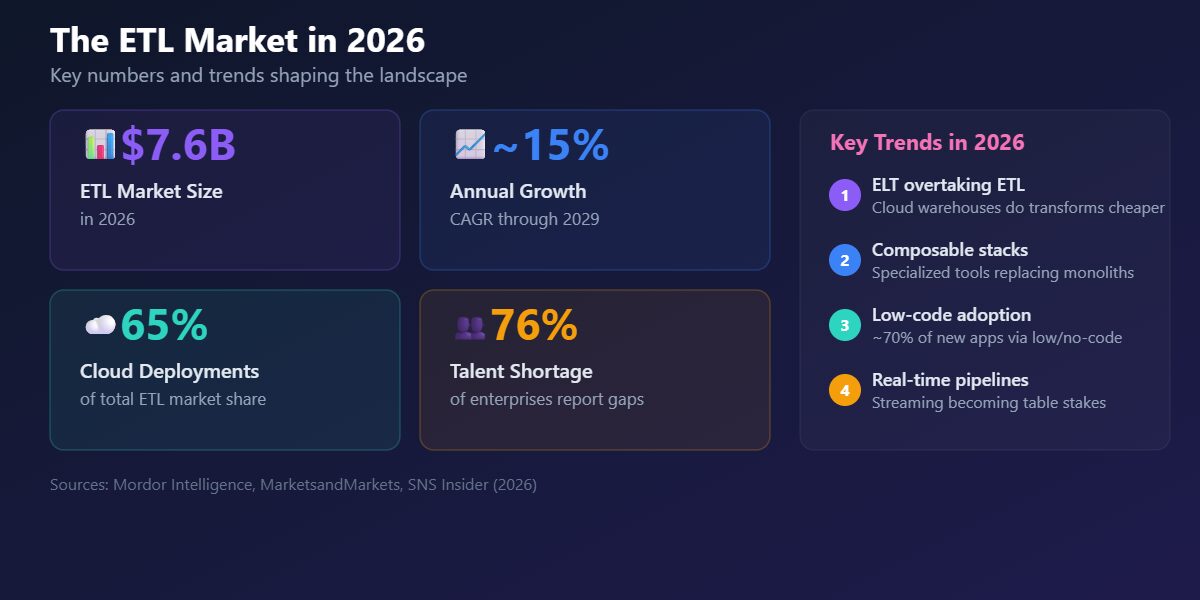
Table of Contents
- ETL Fundamentals: What You Need to Know Before Choosing Tools
- What to Evaluate When Choosing ETL Tools
- The Top ETL Tools for 2026
- How to Choose the Right ETL Tool
- Build Your ETL Skills
- FAQs
ETL Fundamentals: What You Need to Know Before Choosing Tools
ETL stands for Extract, Transform, Load, the three steps involved in moving data from source systems into a central destination like a data warehouse. ETL tools automate this process: connectors, scheduling, error handling, retries, so your team can focus on what the data means rather than how it moves.
Here's what a simple ETL pipeline looks like in plain Python:
import pandas as pd
import sqlite3

# EXTRACT: Read raw data from a CSV
orders = pd.read_csv("raw_orders.csv")

# TRANSFORM: Clean and enrich the data
orders["order_date"] = pd.to_datetime(orders["order_date"])
orders["revenue"] = orders["quantity"] * orders["unit_price"]
orders = orders.dropna(subset=["customer_id"])

# LOAD: Write to a SQLite database
conn = sqlite3.connect("warehouse.db")
orders.to_sql("clean_orders", conn, if_exists="replace", index=False)
conn.close()
Production pipelines handle hundreds of sources, run on schedules, and need monitoring. That's where dedicated ETL tools come in. Our course on building data pipelines with Airflow walks through a production-like project step by step.
ETL vs ELT
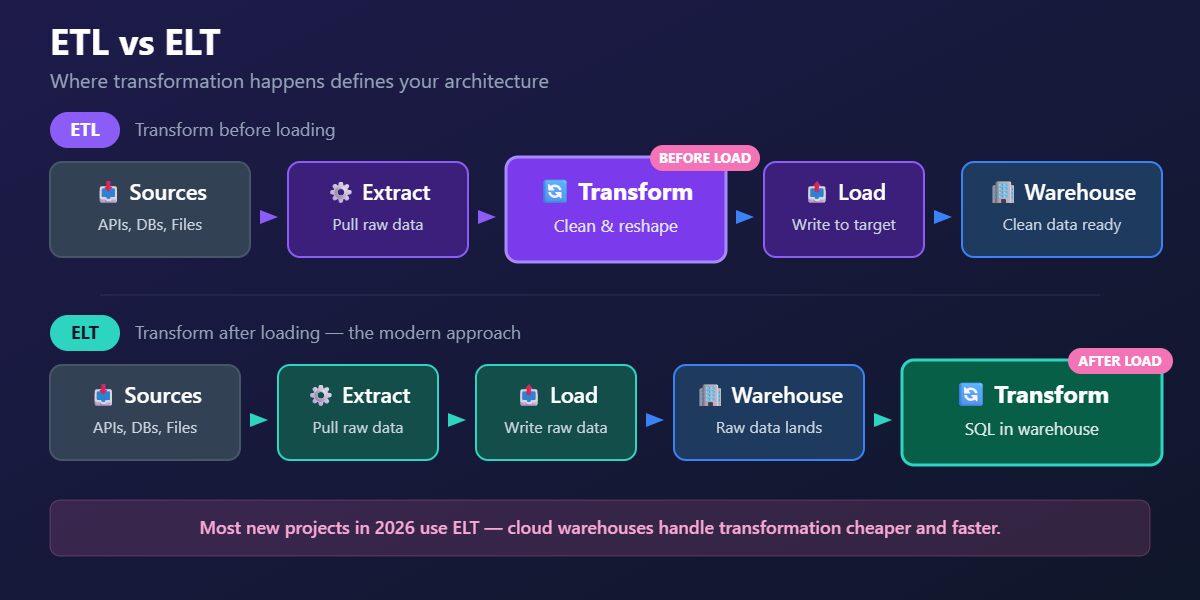
In traditional ETL, data is transformed mid-flight, between extraction and loading. In ELT, raw data is loaded into the warehouse first, then transformed inside the warehouse using its own compute. ELT became the dominant pattern as cloud warehouses like Snowflake, BigQuery, and Redshift made compute cheap and elastic.
| Feature | ETL | ELT |
|---|---|---|
| Where transformation happens | Mid-pipeline, before loading | Inside the data warehouse, after loading |
| Best for | Legacy systems, limited warehouse compute, strict compliance | Cloud warehouses (Snowflake, BigQuery, Redshift) |
| Common tools | Informatica, SSIS, custom Python scripts | dbt + Fivetran, dbt + Airbyte, cloud-native services |
| Typical cost profile | Higher compute costs mid-pipeline | Pay for warehouse compute (scales with usage) |
| Flexibility | Transformations locked at pipeline level | Easy to iterate — change SQL, rerun |
A note on Reverse ETL: Some teams also need to push transformed data back from the warehouse into operational tools like Salesforce, HubSpot, or Google Ads. This pattern, called Reverse ETL, is supported by tools like Hightouch, Census, and Fivetran Activations. It's a growing part of the modern stack, though it's a separate category from the ingestion and transformation tools covered here.
How Tools Fit Together
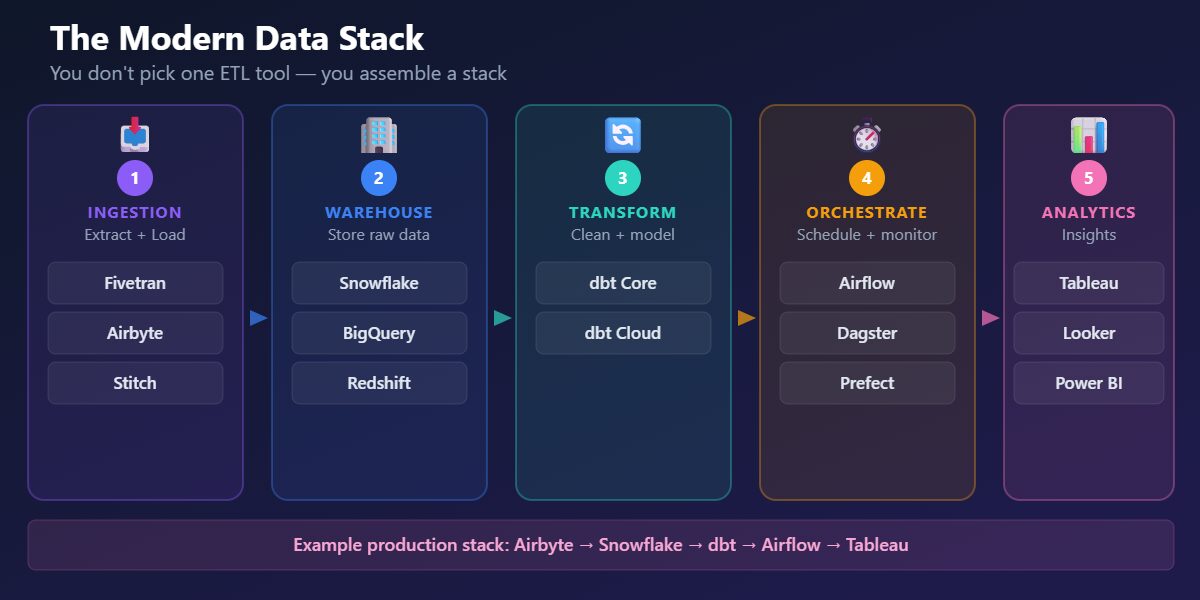
One of the most important things to understand about ETL in 2026: many teams don’t pick one all-in-one tool, they assemble a stack. The modern data stack has three layers:
- Ingestion (Extract + Load): Tools like Fivetran and Airbyte pull data from sources and load it into your warehouse.
- Transformation: Tools like dbt transform raw data inside the warehouse, cleaning, joining, aggregating, and modeling it for analysts.
- Orchestration: Tools like Apache Airflow and Dagster schedule, monitor, and coordinate multi-step workflows across all the layers above.
A typical pipeline: Airbyte extracts data from your CRM, payment processor, and product database, then loads it into Snowflake. dbt transforms the raw data into clean analytics tables. Airflow orchestrates the whole thing on a daily schedule.
Here's a dbt transformation model, six lines of SQL that produce a clean analytics table:
-- models/clean_orders.sql
SELECT
    order_id,
    customer_id,
    order_date,
    quantity * unit_price AS revenue,
    CASE WHEN status = 'returned' THEN true ELSE false END AS is_returned
FROM {{ ref('raw_orders') }}
WHERE customer_id IS NOT NULL
dbt handles dependencies, testing, and documentation around these models, and it fits naturally into Git-based version control workflow. Explore dbt concepts in Dataquest's data engineering courses.
And a minimal Apache Airflow DAG that orchestrates a daily workflow:
import pendulum
from airflow.sdk import dag, task

@dag(
    schedule="@daily",
    start_date=pendulum.datetime(2026, 1, 1, tz="UTC"),
    catchup=False,
)
def daily_etl():
    @task
    def extract():
        print("Extracting data from sources...")

    @task
    def transform():
        print("Transforming data...")

    @task
    def load():
        print("Loading data into warehouse...")

    extract() >> transform() >> load()

daily_etl()
Airflow version note: The example above uses Airflow 3 syntax (airflow.sdk). If you're on Airflow 2, replace the import with from airflow.decorators import dag, task , the rest of the code works the same way.
In production, each task would call real functions. The pattern is the same: define tasks, set dependencies, let Airflow handle scheduling and retries. Our tutorial on automating data pipelines with Airflow and MySQL shows a complete implementation.
Understanding how ingestion, transformation, and orchestration fit together matters more than memorizing individual tool features. The tools will change, the architecture pattern won't.
What to Evaluate When Choosing ETL Tools
Before comparing individual tools, it helps to know what factors matter most. These are the criteria experienced data teams weigh when evaluating their options:
- Connector coverage: Does the tool support your specific data sources and destinations? A tool with 500 connectors isn't useful if it's missing the three your business depends on.
- Cloud compatibility: Does it integrate with your warehouse and cloud provider, or will you be fighting against the grain?
- Ease of use vs. flexibility: Do you need a no-code interface for fast setup, or full programmatic control for complex pipelines?
- Scalability: Will it handle your data volumes in 12 months, not just today? Some tools work great at small scale but hit limits fast.
- Pricing model: Usage-based, per-seat, or flat fee? How predictable are costs as data grows?
- Operational overhead: Self-hosted open source means you manage infrastructure. Fully managed SaaS means you pay someone else to.
- Community and support: Active communities mean faster answers and more resources. Enterprise support means someone picks up the phone.
These criteria map directly to the decision framework later in this guide, where we match tools to specific team situations.
The Top ETL Tools for 2026
We've organized the tools that data engineers most commonly use and recommend by the layer of the stack they serve. Each profile covers what the tool does, when to use it, and the trade-offs you should know about.
At a Glance: Pricing and Positioning
Before exploring each tool in depth, here's a quick reference for pricing and fit. Pricing changes frequently, so we recommend checking official pricing pages for the latest details.
| Tool | Type | Pricing Model | Starting Cost (2026) | Best For |
|---|---|---|---|---|
| Fivetran | Ingestion (EL) | Per-connection MAR | Free (500K MAR); Starter \$120/mo | Zero-maintenance managed ingestion |
| Airbyte | Ingestion (EL) | Open-source or cloud credits | Free (self-hosted); Cloud from \$10/mo | Flexible open-source ingestion |
| Stitch | Ingestion (EL) | Row-based | From ~\$100/mo | Simple, affordable replication |
| Portable.io | Ingestion (EL) | Custom | From ~\$1200/mo | Hard-to-find SaaS connectors |
| dbt | Transformation | Per-seat + model runs | Free (dbt Core); Cloud \$100/seat/mo | In-warehouse SQL transformation |
| Databricks Lakeflow Declarative Pipelines | ETL framework | Databricks compute pricing | Part of Databricks platform | Lakehouse pipelines with data quality |
| Apache Airflow | Orchestration | Open-source (free) | Managed: MWAA/Astronomer from ~\$500/mo | Complex multi-step workflows |
| Dagster | Orchestration | Open-source (free) | Dagster Cloud: custom pricing from ~\$10 | Modern developer experience |
| Estuary Flow | Real-time / CDC | Volume + connector-based | Free tier; paid plans scale with volume | Real-time CDC and streaming pipelines |
| Striim | Real-time / CDC | Tiered SaaS | From \$1,000/mo (Automated Data Streams) | Enterprise real-time CDC and analytics |
| Debezium | Real-time / CDC | Open-source (free) | Free (requires Kafka infrastructure) | Open-source CDC on Kafka |
| AWS Glue | Cloud-native ETL | Pay-per-use | ~\$0.44/DPU-hour | Serverless ETL in AWS |
| Azure Data Factory | Cloud-native ETL | Activity + compute | ~\$1/1K pipeline runs + data movement | ETL in the Azure ecosystem |
| GCP Dataflow | Cloud-native ETL | Pay-per-use | Per worker-hour pricing | Stream + batch on GCP |
| Informatica IDMC | Enterprise ETL | Custom enterprise | Typically \$100K+/year (negotiated) | Governance-heavy enterprise |
| IBM DataStage | Enterprise ETL | Custom enterprise | Custom pricing | High-volume IBM ecosystem |
| Oracle ODI | Enterprise ETL | License-based | Custom pricing | Oracle-centric infrastructure |
| SSIS | Enterprise ETL | Included with SQL Server | Included with SQL Server licensing | SQL Server environments |
| Matillion | Cloud-native ELT | Per-seat + compute | Custom, typically \$2K+/mo | Visual ELT in cloud warehouses |
| Hevo Data | No-code ELT | Event-based | Free tier; paid from ~\$239/mo | Fast setup, non-technical teams |
Pricing as of early 2026. Check official pricing pages for current details.
Ingestion Tools (Extract + Load)
These tools handle extracting data from source systems and loading it into your warehouse, forming the ingestion layer of a modern data stack.
1. Fivetran

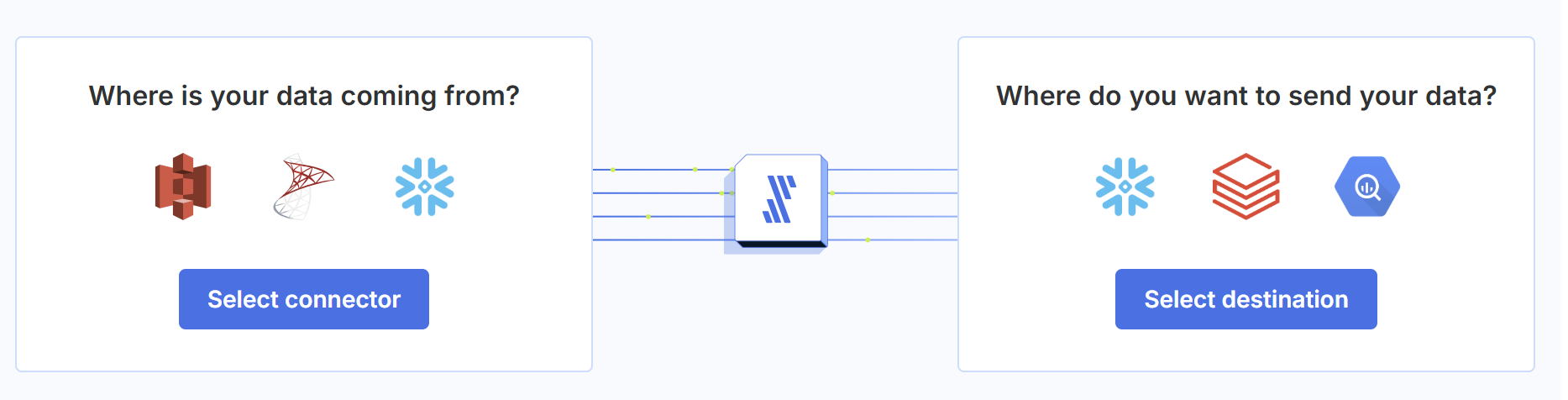
Fivetran is a fully managed ELT platform with hundreds of pre-built connectors. You configure a source and destination, and Fivetran handles the rest, including schema changes, incremental updates, and API maintenance.
When to use it: teams that want low-maintenance, reliable ingestion and are willing to pay for it. Fivetran is especially valuable when engineering time is more expensive than tooling costs. It pairs naturally with dbt for transformations, forming a common modern data stack pattern. (fivetran.com)
The trade-off is price. Fivetran uses usage-based pricing based on Monthly Active Rows (MAR), so costs can rise as the number of active synced rows grows. It also focuses only on extraction and loading, transformations are handled separately, typically with dbt.
2. Airbyte

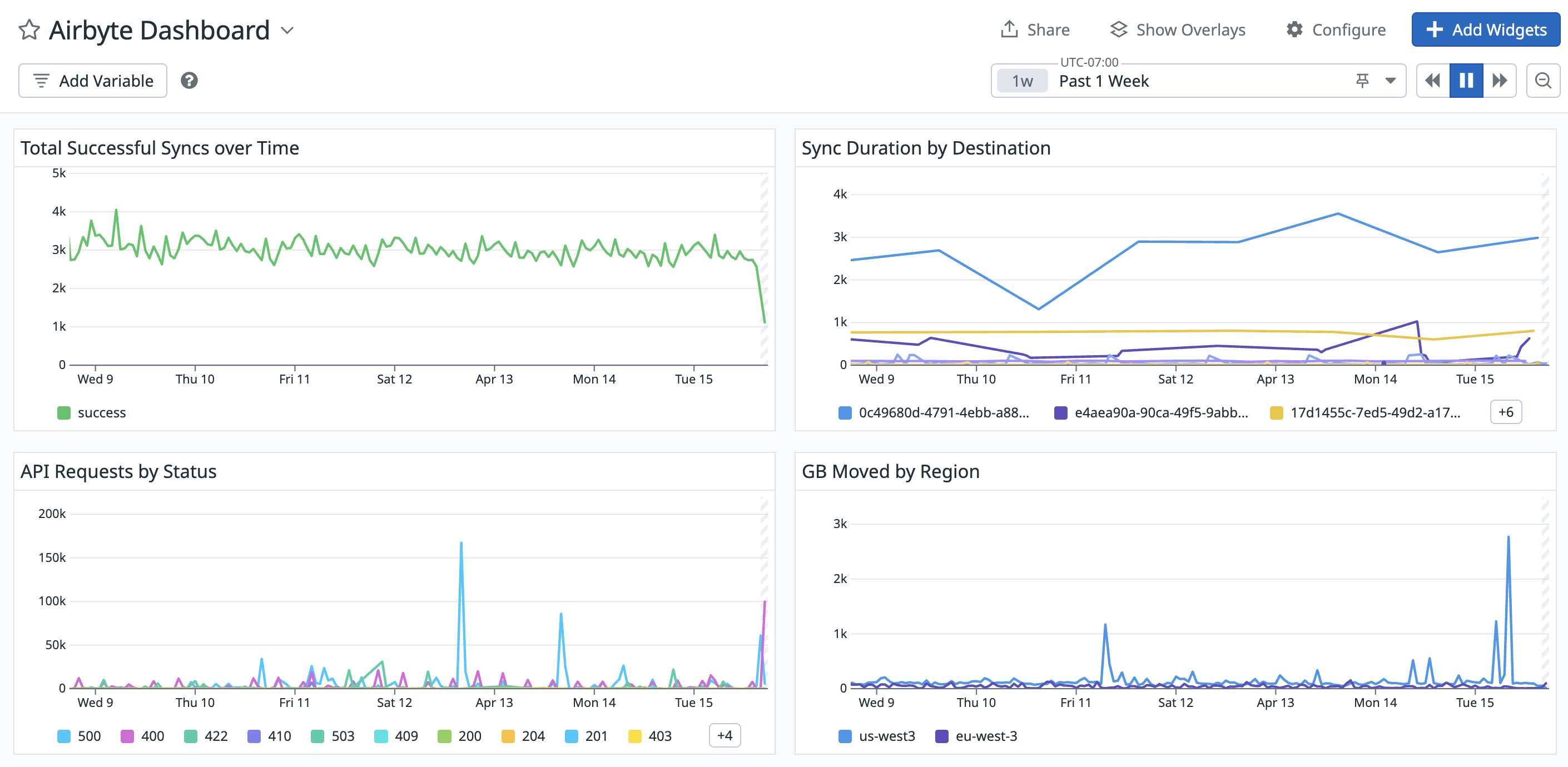
Airbyte is a leading open-source alternative to Fivetran. It offers 600+ sources and destinations, and can be deployed either as a self-hosted solution or as a managed cloud service. The open-source model allows teams to inspect, customize, and build connectors without relying on a vendor. (Airbyte docs)
When to use it: teams that want flexibility and control, want to avoid vendor lock-in, or are working within budget constraints. Airbyte includes a low-code connector builder that allows you to create new connectors quickly, in significantly less time than building from scratch.
The trade-off is operational overhead. Self-hosting Airbyte means managing infrastructure, updates, monitoring, and scaling. The cloud version reduces this burden but introduces usage-based costs. In practice, Airbyte is widely adopted as one of the leading open-source ingestion tools.
To understand the value ingestion tools provide, here's what extracting data from an API looks like without a tool, the kind of code Fivetran and Airbyte replace:
import requests
import pandas as pd

# Manual extraction from Stripe API
def extract_stripe_payments(api_key, start_date):
    payments = []
    has_more = True
    starting_after = None

    while has_more:
        params = {"limit": 100, "created[gte]": start_date}
        if starting_after:
            params["starting_after"] = starting_after

        response = requests.get(
            "https://api.stripe.com/v1/charges",
            auth=(api_key, ""),
            params=params,
        )
        data = response.json()
        payments.extend(data["data"])
        has_more = data["has_more"]
        if has_more:
            starting_after = data["data"][-1]["id"]

    return pd.DataFrame(payments)
This handles one API endpoint for one source. Tools like Airbyte and Fivetran handle hundreds of endpoints across many sources, including pagination, rate limiting, schema changes, and incremental syncing. That's the trade-off: engineering time vs. tool cost.
3. Stitch data

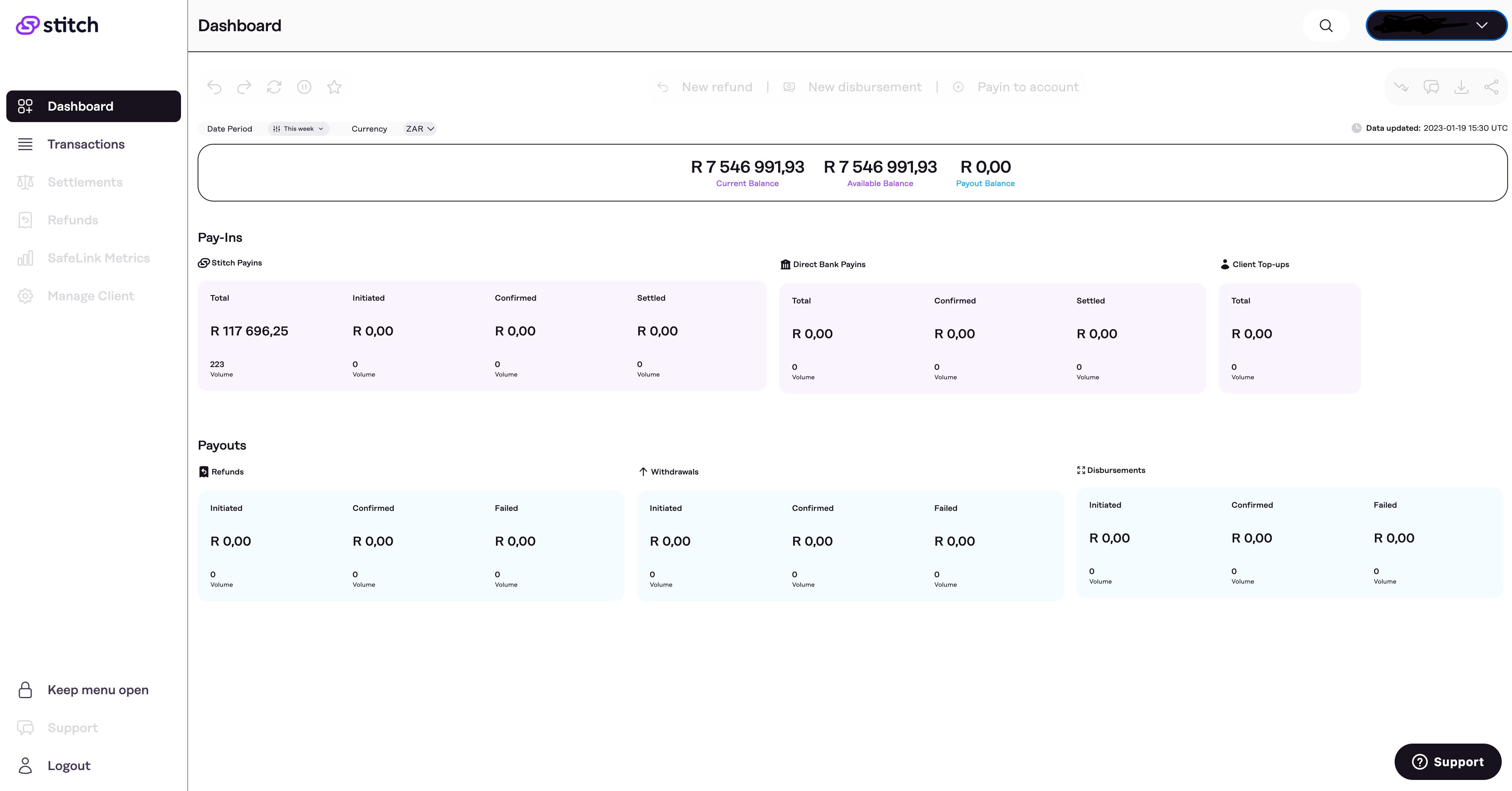
Stitch is a lightweight ELT tool focused on data replication. It offers a simple setup process and row-based pricing, making it accessible for small teams getting started with data pipelines. (Stitch docs)
When to use it: startups and small teams with straightforward replication needs. Stitch is designed to get data moving quickly with minimal configuration.
The trade-off is scope. Stitch focuses on data replication rather than transformation, and has fewer connectors compared to tools like Fivetran or Airbyte. It works well for straightforward ingestion needs, and teams with more complex workflows typically pair it with dedicated transformation tools like dbt or an orchestrator like Airflow.
4. Portable.io

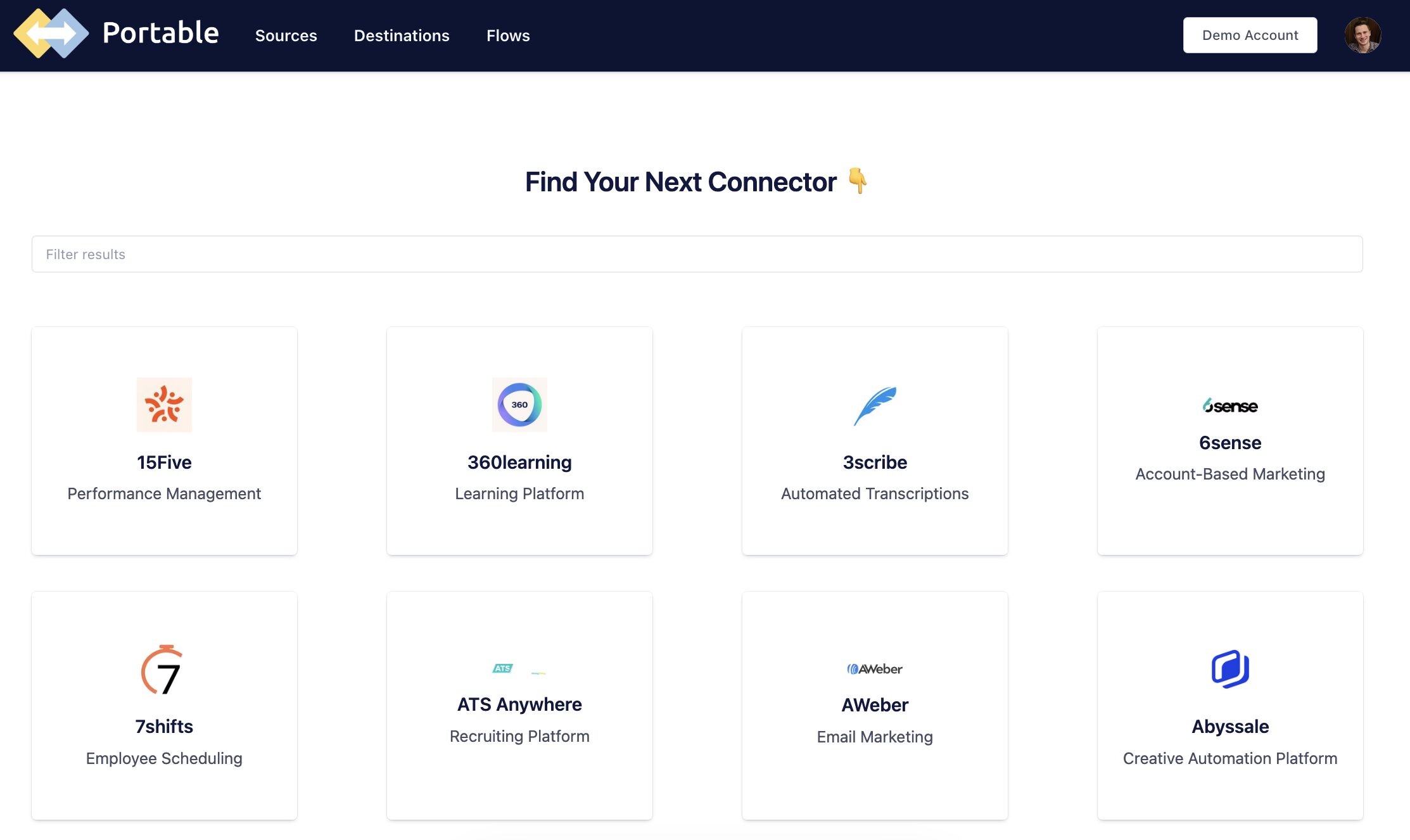
Portable.io is a connector-focused ELT platform designed to solve a specific problem: extracting data from sources that other tools don't support. It offers a large catalog of connectors, including many niche SaaS platforms, and can build custom connectors on request. (Portable.io)
When to use it: teams that need to ingest data from less common or industry-specific tools and can't find a connector in platforms like Fivetran or Airbyte. Portable is especially useful when your data sources are fragmented or highly specialized.
The trade-off is scope. Portable focuses primarily on extraction and loading, so you'll typically pair it with other tools (like dbt for transformation and Airflow for orchestration). It's best used as a complement to a broader data stack rather than a standalone solution.
Transformation Tools
Once data lands in your warehouse, it needs to be cleaned, joined, and modeled. Transformation tools handle this layer.
5. dbt (data build tool)

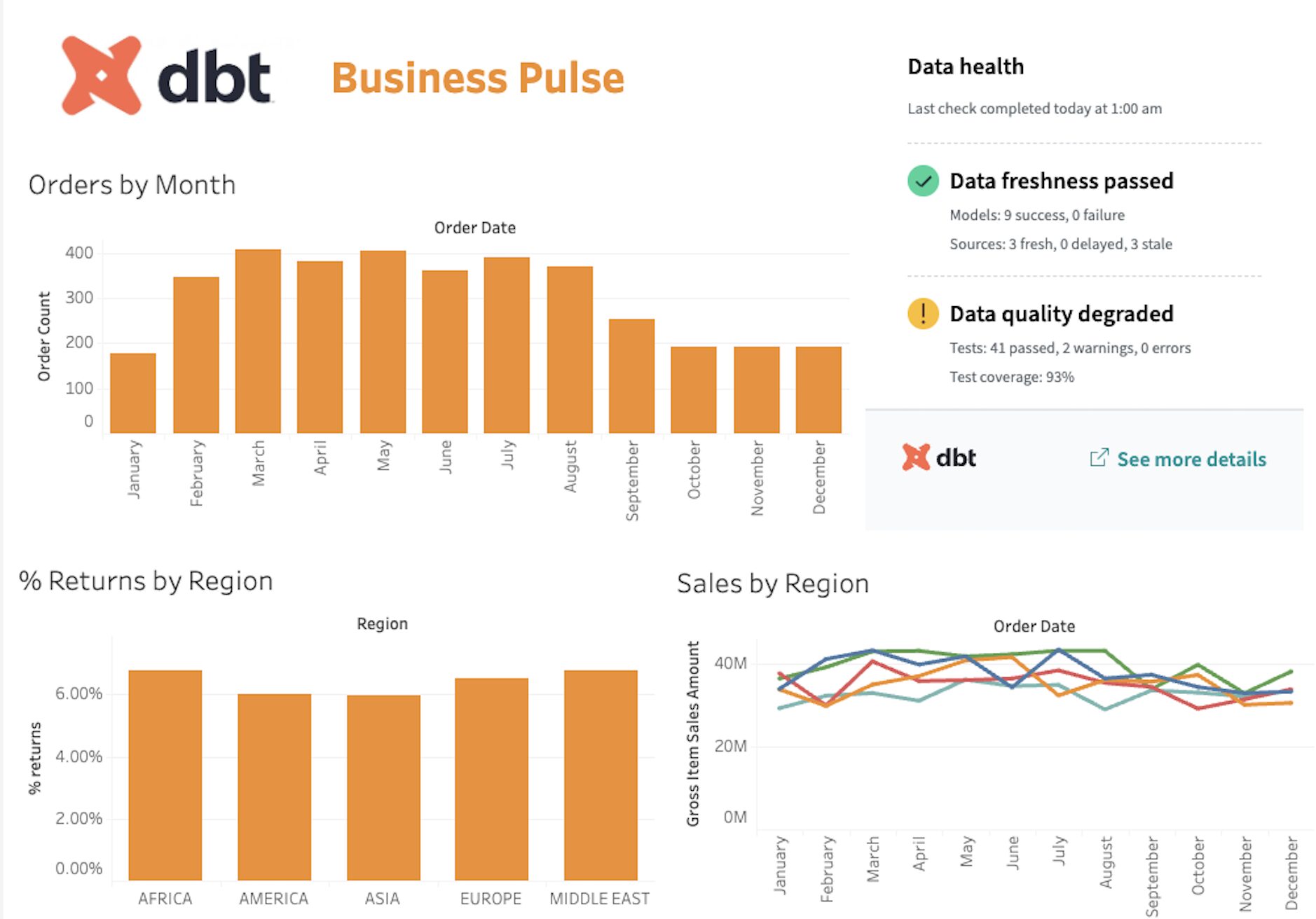
dbt is one of the most widely adopted tools for in-warehouse transformation. It allows data engineers and analytics engineers to write modular, version-controlled SQL models that transform raw data into analytics-ready tables. dbt automatically tracks dependencies, generates documentation, and produces a lineage graph showing how data flows from source to final table. (dbt docs)
When to use it: any team using ELT with a cloud data warehouse, which describes a large and growing share of modern data teams. dbt integrates with platforms like Snowflake, BigQuery, Redshift, and Databricks.
dbt is available as open-source (dbt Core) or as a managed service (dbt Cloud). The trade-off is that dbt is primarily SQL-based. It has supported Python models since Core 1.3, though availability depends on your warehouse platform (Snowflake, BigQuery, and Databricks support them; Redshift and Postgres do not). For most teams, SQL covers the bulk of transformation work, with Python models handling specific use cases like ML feature engineering or API calls. dbt Cloud can also introduce additional cost at scale. Still, dbt is widely considered a standard tool for warehouse-based transformation workflows.
You saw a dbt model earlier in this article. That simplicity is intentional, dbt's value comes from the testing, documentation, and dependency management layered on top of straightforward SQL. Dataquest covers dbt concepts and production patterns in our data engineering course catalog.
Here's what a dbt data quality test looks like. This YAML file defines automated checks that run every time your pipeline executes:
# models/schema.yml
models:
  - name: clean_orders
    description: "Cleaned order data with revenue calculated"
    columns:
      - name: order_id
        tests:
          - unique
          - not_null
      - name: revenue
        tests:
          - not_null
          - dbt_utils.accepted_range:
              min_value: 0
              max_value: 100000
      - name: customer_id
        tests:
          - not_null
          - relationships:
              to: ref('customers')
              field: customer_id
If any test fails, such as duplicate order IDs, null revenue values, or broken relationships, dbt flags the issue before bad data reaches downstream users. This built-in data quality is a major reason for dbt's widespread adoption. (dbt tests)
6. Databricks Lakeflow Declarative Pipelines (formerly Delta Live Tables)

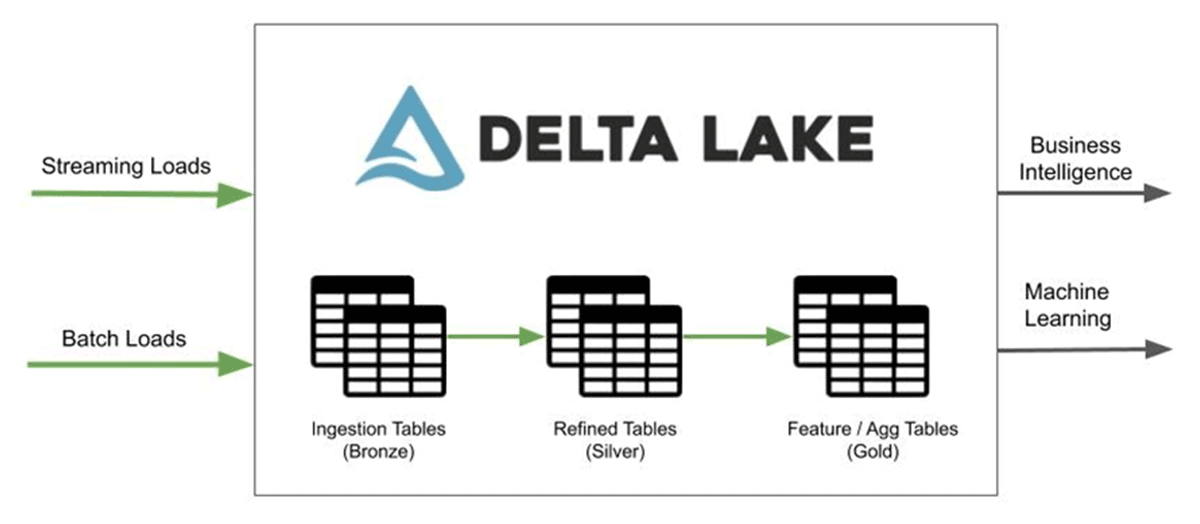
Lakeflow Declarative Pipelines (formerly known as Delta Live Tables) is a declarative data pipeline framework built on Apache Spark within the Databricks Lakehouse platform. Instead of manually orchestrating jobs, you define your data transformations as tables or views, and DLT manages execution, dependency resolution, and optimization automatically. (Databricks docs)
When to use it: teams already working in the Databricks ecosystem who want reliable, production-grade pipelines with minimal orchestration overhead. DLT is particularly strong for large-scale batch and streaming workloads, with built-in data quality features such as expectations and automatic handling of invalid records (for example, quarantining bad data instead of allowing it to propagate).
The trade-off is platform dependency. DLT runs exclusively on Databricks, so it only makes sense if your architecture is built around the Lakehouse model. It also differs from tools like dbt: while dbt focuses on SQL-based transformations inside a warehouse, DLT manages the full pipeline lifecycle, from ingestion through transformation, using Spark as the execution engine. Depending on your stack, this can simplify pipelines or reduce flexibility.
If you're working with Spark-based pipelines, our PySpark for Data Engineering course covers the foundational concepts that DLT builds on.
Orchestration Tools
Orchestration tools schedule, monitor, and coordinate multi-step pipelines. They're the control layer that ties everything together.
7.Apache Airflow

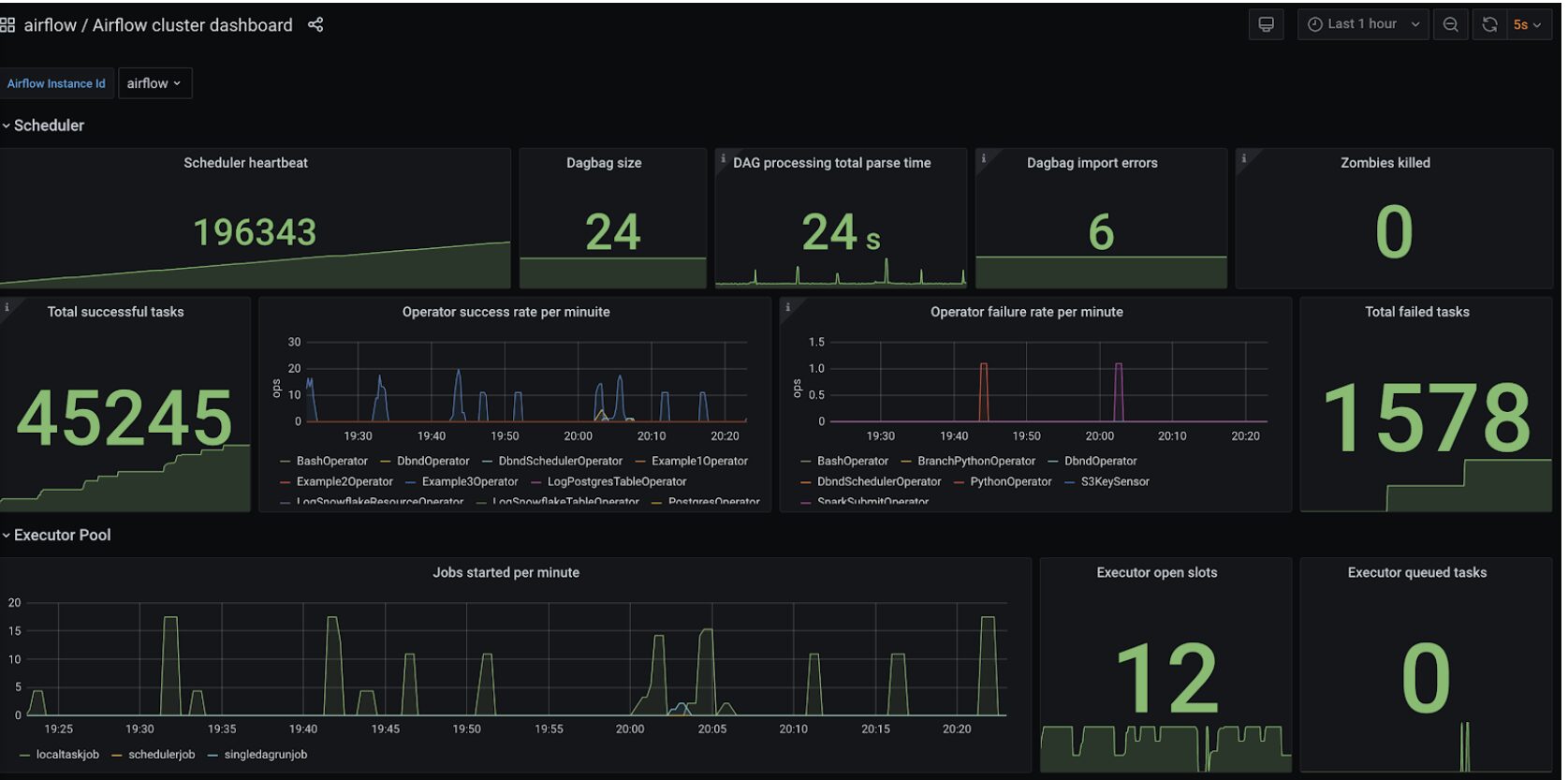
Apache Airflow is the most widely used open-source workflow orchestration platform. Pipelines are defined as Python-based Directed Acyclic Graphs (DAGs), giving engineering teams fine-grained control over task dependencies, retries, and execution logic. Airflow has a large ecosystem, extensive documentation, and integrates with most modern data tools.
When to use it: teams that need to schedule and monitor multi-step pipelines. Airflow is especially useful when coordinating multiple tools, for example, triggering an Airbyte sync, running dbt transformations, executing data quality tests, and sending notifications.
The trade-off is complexity. Airflow has a steep learning curve and requires operational effort when self-hosted. Managed services such as Amazon MWAA or Astronomer reduce this burden but introduce additional cost. For a hands-on walkthrough, see our course on Building Data Pipelines with Apache Airflow. You can also explore broader orchestration and pipeline concepts in our data engineering course catalog.
Here's a more realistic Airflow DAG that coordinates an ELT workflow, ingesting data, running transformations, testing data quality, and sending a notification:
import pendulum
from airflow.sdk import dag, task
from airflow.operators.bash import BashOperator
from airflow.providers.slack.operators.slack_webhook import SlackWebhookOperator

@dag(
    dag_id="daily_elt_pipeline",
    schedule="0 6 * * *",
    start_date=pendulum.datetime(2026, 1, 1, tz="UTC"),
    catchup=False,
)
def daily_elt_pipeline():
    @task
    def airbyte_sync():
        """Trigger Airbyte sync via API"""
        import requests
        response = requests.post(
            "http://localhost:8000/api/public/v1/connections/sync",
            json={"connectionId": "your-connection-id"},
            timeout=30,
        )
        response.raise_for_status()

    run_dbt = BashOperator(
        task_id="dbt_run",
        bash_command="cd /dbt_project && dbt run --profiles-dir .",
    )

    test_quality = BashOperator(
        task_id="dbt_test",
        bash_command="cd /dbt_project && dbt test --profiles-dir .",
    )

    notify = SlackWebhookOperator(
        task_id="slack_notify",
        message="Daily ELT pipeline completed successfully.",
        http_conn_id="slack_webhook",
    )

    airbyte_sync() >> run_dbt >> test_quality >> notify

daily_elt_pipeline()
This pattern, ingest, transform, test, notify, is the backbone of most production data pipelines. The specific tools may vary, but the workflow structure remains consistent.
8. Dagster

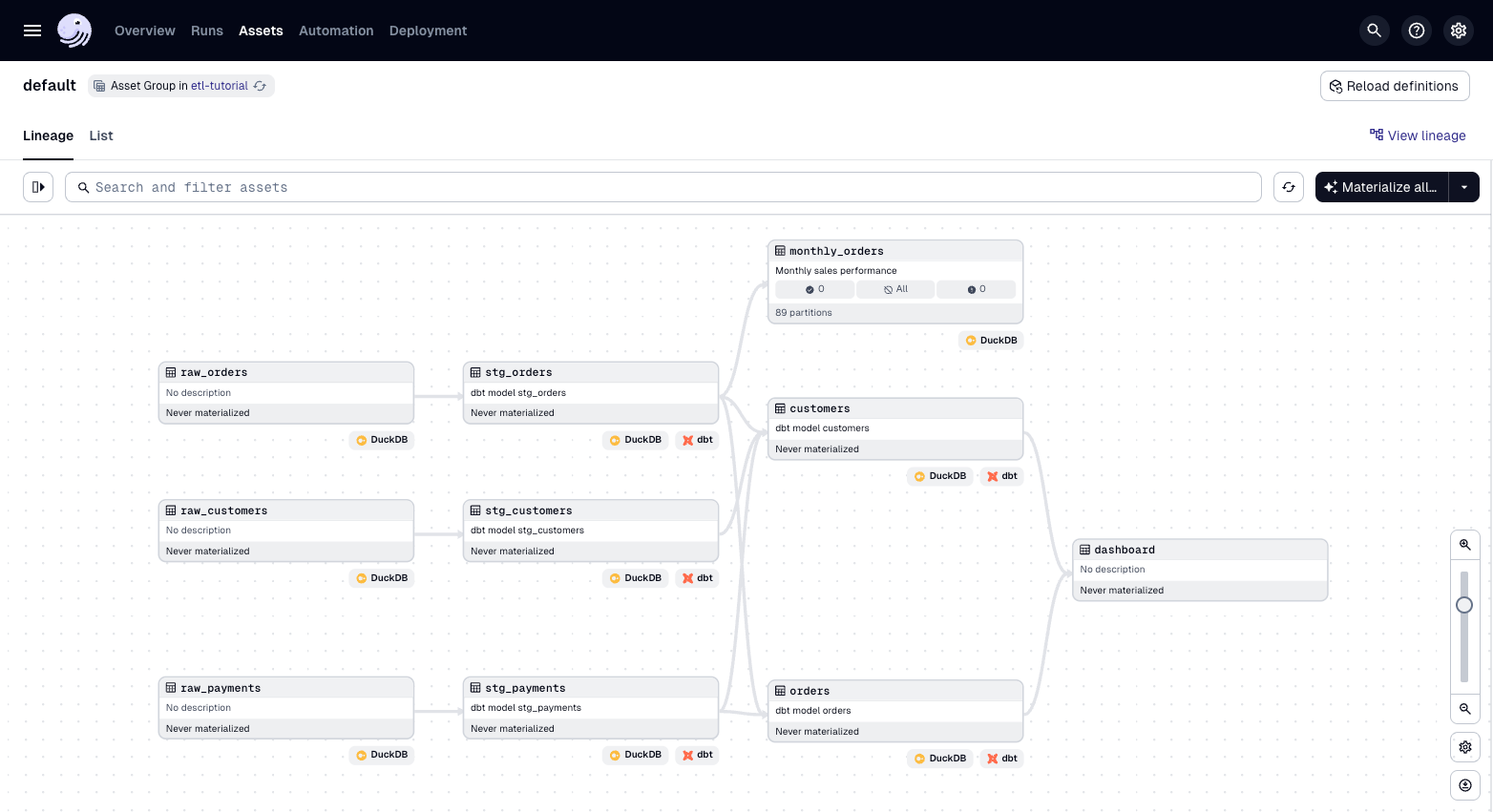
Dagster is a modern orchestration platform designed to address some of the limitations of earlier tools like Airflow. It's built around the concept of software-defined assets, instead of focusing only on tasks, you define the data assets your pipeline produces, and Dagster manages the dependencies and execution required to build them. (Dagster docs)
When to use it: teams starting new projects who want a more structured and developer-friendly orchestration experience. Dagster emphasizes data awareness, testing, and observability, making pipelines easier to understand and debug compared to traditional task-based workflows.
The trade-off is ecosystem maturity. Dagster has a smaller community and fewer long-running production case studies than Airflow. However, adoption has been growing steadily, and it comes up frequently in practitioner discussions as an option worth evaluating for new projects.
Real-Time and Streaming Tools
The tools above focus primarily on batch and micro-batch workflows, which cover most ETL use cases. But some teams need sub-second latency, for example syncing database changes to a dashboard or triggering workflows the instant a record is updated. That's where streaming and Change Data Capture (CDC) tools come in.
9. Estuary Flow

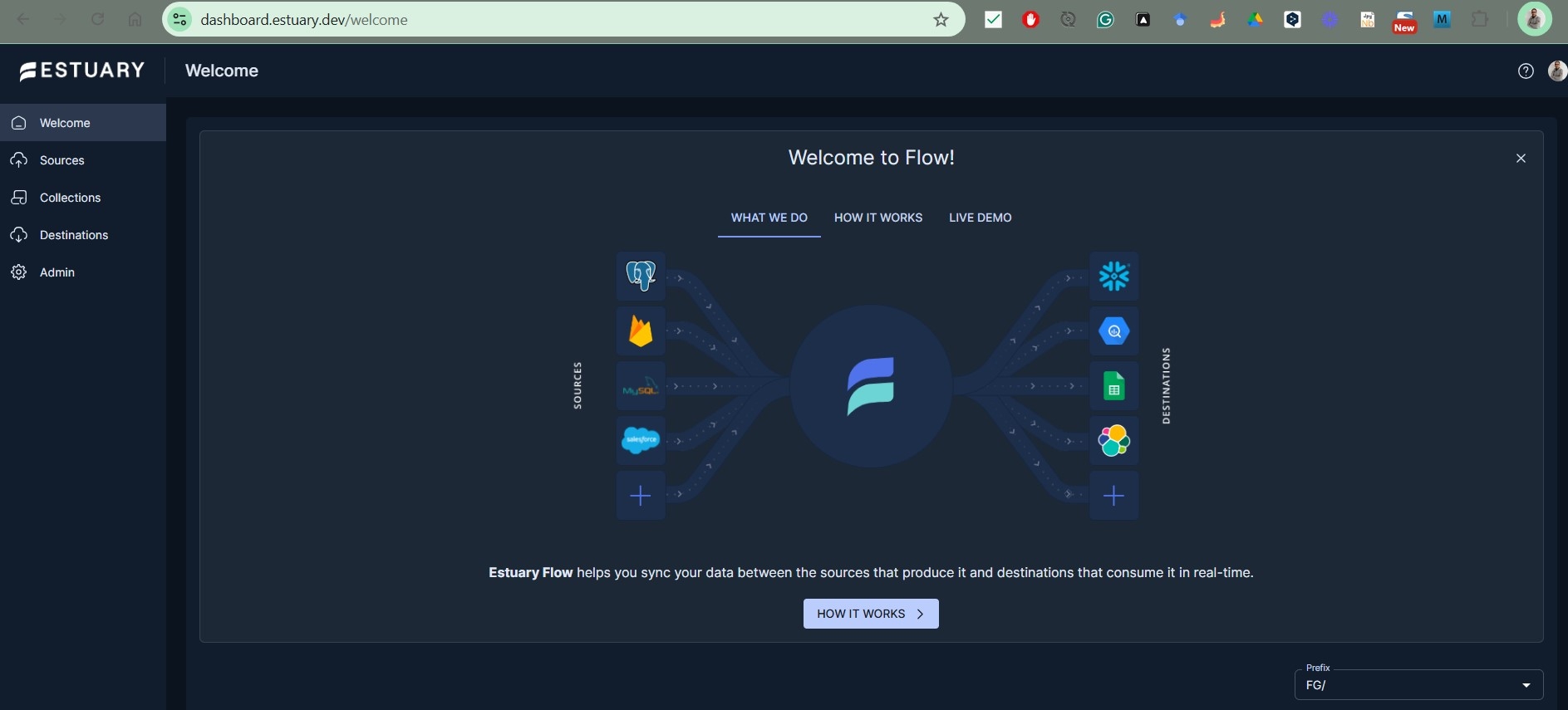
Estuary is a real-time data platform that unifies CDC, batch, and streaming pipelines in a single managed system. It captures changes from databases with sub-100ms latency using log-based CDC, then streams those changes to warehouses, lakehouses, or operational systems. Estuary supports both real-time and scheduled batch delivery, so you can tune latency per pipeline without switching tools. (Estuary docs)
When to use it: teams that need real-time or near-real-time data movement, particularly from databases to analytics or operational systems. Estuary works well for CDC use cases like keeping Snowflake or BigQuery in sync with a production Postgres or MySQL database, powering real-time dashboards, or feeding data to AI/ML models that depend on fresh inputs.
The trade-off is that Estuary is a newer entrant with a smaller community than established batch tools. Its pricing is volume and connector-based (with a free tier), which can be more predictable than MAR-based models, but teams should evaluate costs based on their specific data volumes. (Estuary pricing)
10. Striim

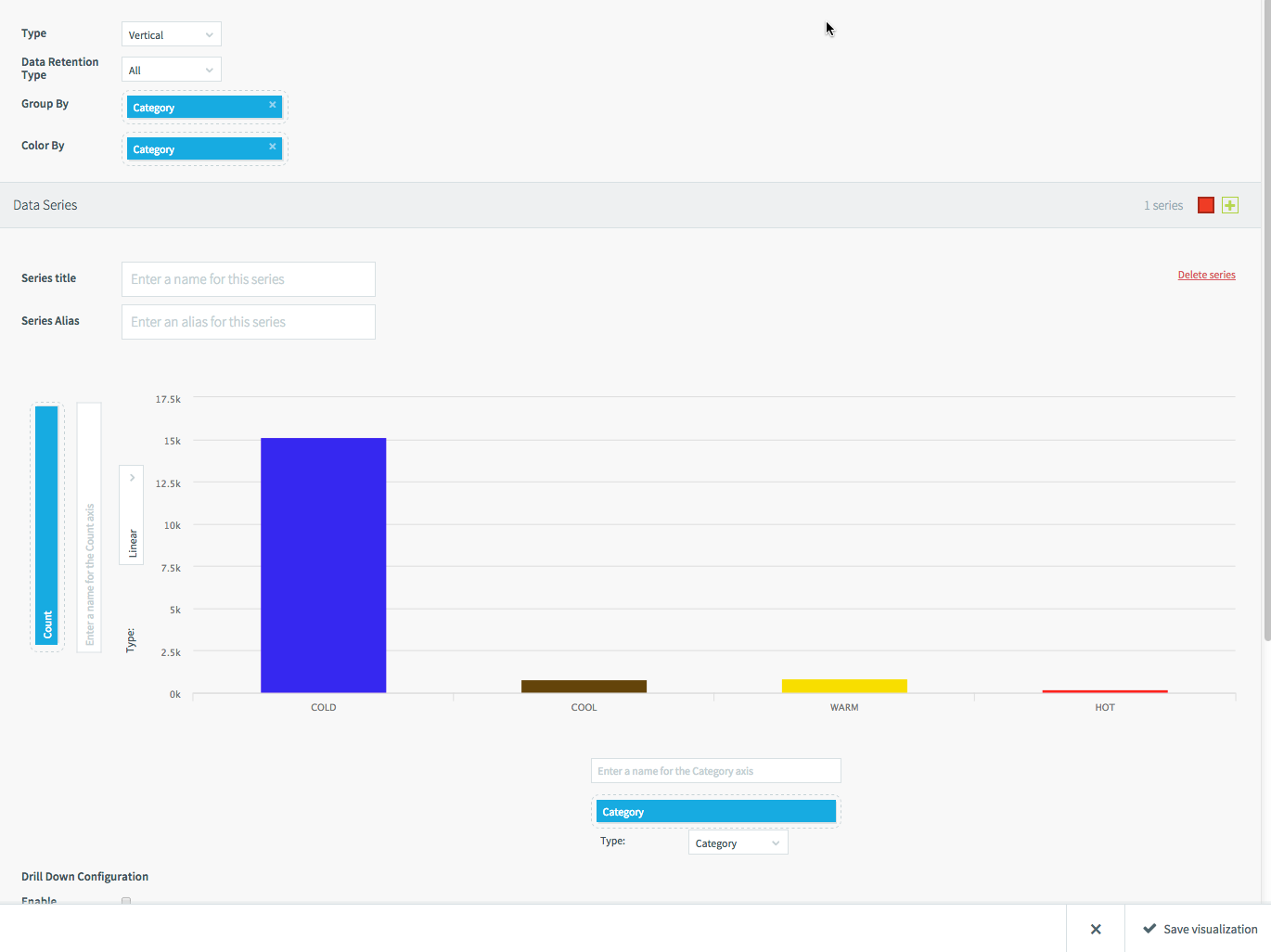
Striim is an enterprise-grade real-time data integration and streaming analytics platform. It was built by the team behind Oracle GoldenGate and specializes in log-based CDC for mission-critical databases, including Oracle, SQL Server, PostgreSQL, and MySQL. Striim captures changes from transaction logs and can process, enrich, and deliver data to cloud warehouses, Kafka, and other targets with sub-second latency. (Striim docs)
When to use it: enterprises with real-time requirements, particularly those running on-premises Oracle or SQL Server databases that need continuous replication to cloud environments. Striim is commonly used for zero-downtime cloud migrations, real-time analytics on transactional data, and feeding streaming data to AI/ML pipelines.
The trade-off is cost and complexity. Striim is positioned as an enterprise platform with pricing starting at \$1,000/month for Automated Data Streams and \$2,000/month for Cloud Enterprise. It's more tool than most small teams need, but for organizations with high-volume, low-latency requirements, it delivers capabilities that batch-oriented tools can't match. (Striim pricing)
11. Debezium

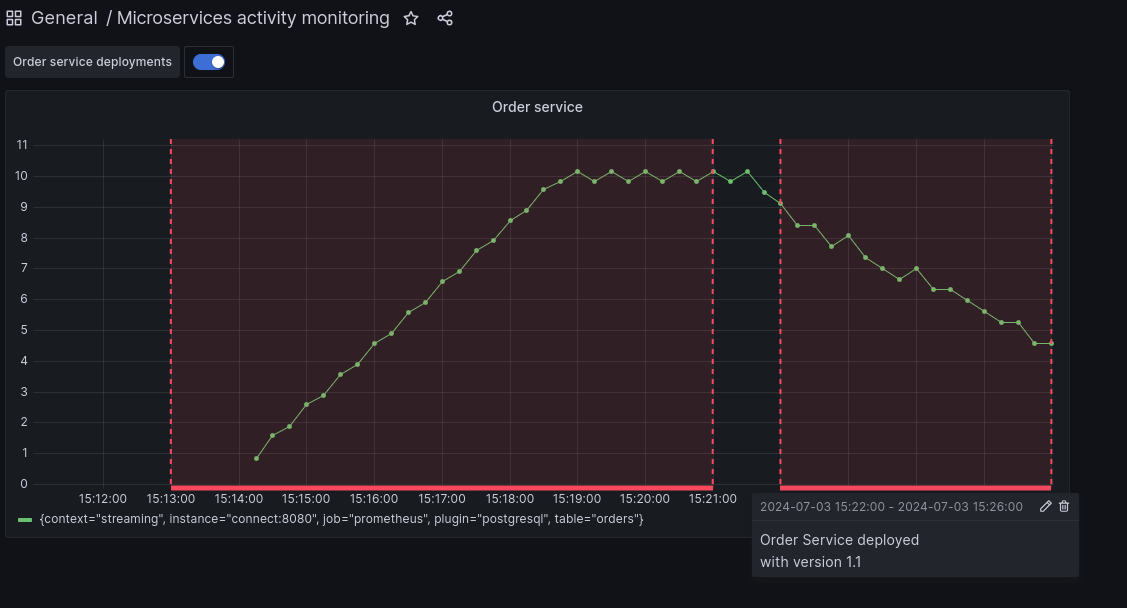
Debezium is an open-source CDC platform built on Apache Kafka Connect. It monitors database transaction logs and produces a stream of change events for every row-level insert, update, and delete. Debezium supports PostgreSQL, MySQL, MongoDB, SQL Server, Oracle, and several other databases. (Debezium docs)
When to use it: engineering teams that already use Kafka and want open-source, self-managed CDC. Debezium is a strong fit when you need fine-grained control over how change events are captured, routed, and consumed, and your team is comfortable operating Kafka infrastructure.
The trade-off is operational complexity. Debezium requires Kafka and Kafka Connect as prerequisites, which introduces significant infrastructure to manage. There's no managed cloud version, you run everything yourself. For teams without Kafka expertise, tools like Estuary or Airbyte (which also supports CDC connectors) offer a lower operational barrier.
Cloud-Native ETL Services
If your team is committed to a specific cloud provider, that provider's native ETL service often makes sense. These tools integrate tightly with their ecosystems, but that convenience comes with trade-offs.
12. AWS Glue

AWS Glue is a serverless data integration service that discovers, prepares, and transforms data within the AWS ecosystem. It supports Python (PySpark) and Scala, and also provides a visual interface for building pipelines. Glue automatically provisions and scales compute, so you don't manage infrastructure. (AWS Glue docs)
When to use it: teams already working in AWS who want serverless ETL without managing clusters. Glue integrates closely with S3 (data lake storage), Redshift (data warehouse), and Athena (query engine), making it a natural fit for AWS-based data architectures.
The trade-off is reduced control and debugging complexity. Because Glue is serverless, visibility into execution can be limited, and troubleshooting jobs can be frustrating compared to running pipelines locally. Costs can also grow with large datasets or frequent jobs, especially with Spark-based workloads.
For foundational skills in cloud data engineering, including AWS-based workflows, see Dataquest's Data Engineering Skills guide.
13. Azure Data Factory / Fabric Data Factory

Azure Data Factory (ADF) is Microsoft's cloud-based data integration and orchestration service. It provides a visual pipeline builder alongside code-based options, and supports a wide range of connectors across databases, SaaS platforms, and on-prem systems. (Azure Data Factory docs)
For teams working within the broader Microsoft Fabric platform, Data Factory in Microsoft Fabric is the next-generation version of ADF. It's rebuilt as a SaaS service inside Fabric workspaces, with tighter integration to OneLake, Lakehouse, Power BI, and Copilot. Approximately 90% of ADF activities are already available in Fabric Data Factory, and new features like mirroring, copy jobs, and enhanced monitoring are shipping exclusively in Fabric. (Fabric Data Factory docs)
When to use it: organizations invested in the Microsoft ecosystem. Classic ADF suits teams running complex enterprise pipelines on Azure with Synapse, Azure SQL, and Power BI. Fabric Data Factory is the better starting point for new projects, especially teams already adopting Microsoft Fabric for analytics and lakehouse workloads.
The trade-off for both is complexity and pricing. ADF's consumption-based pricing (metered by pipeline activity, data movement, and compute) can be hard to predict. Fabric Data Factory simplifies this with capacity-based pricing, but introduces dependency on the Fabric platform. Microsoft has not announced a sunset date for classic ADF, but new feature development is focused on Fabric, teams investing in ADF today should factor potential future migration into their planning. A migration assistant launched in public preview in March 2026. (ADF vs Fabric comparison)
14. Google Cloud Dataflow

Google Cloud Dataflow is a fully managed service for batch and stream data processing, built on Apache Beam. It's not a connector-first ETL platform like Fivetran or Airbyte, it's a general-purpose data processing engine. But it's commonly used to build ETL and streaming pipelines within Google Cloud, and it fits naturally into GCP-based data architectures. It allows you to define pipelines using Beam's unified programming model, with support for Python, Java, and Go. (Google Cloud Dataflow docs).
When to use it: teams in the Google Cloud ecosystem, especially those needing both batch and real-time processing. Dataflow's autoscaling and pay-per-use model make it well-suited for variable or event-driven workloads.
The trade-off is the learning curve. Apache Beam introduces a different programming model compared to standard Python or SQL-based tools, which can slow adoption for new teams. However, for organizations already using BigQuery or Pub/Sub, Dataflow integrates naturally into a scalable, event-driven architecture.
Enterprise and Specialized Tools
These tools serve specific use cases, large enterprises, non-technical teams, or cloud-native transformation at scale.
15. Informatica IDMC (Intelligent Data Management Cloud)

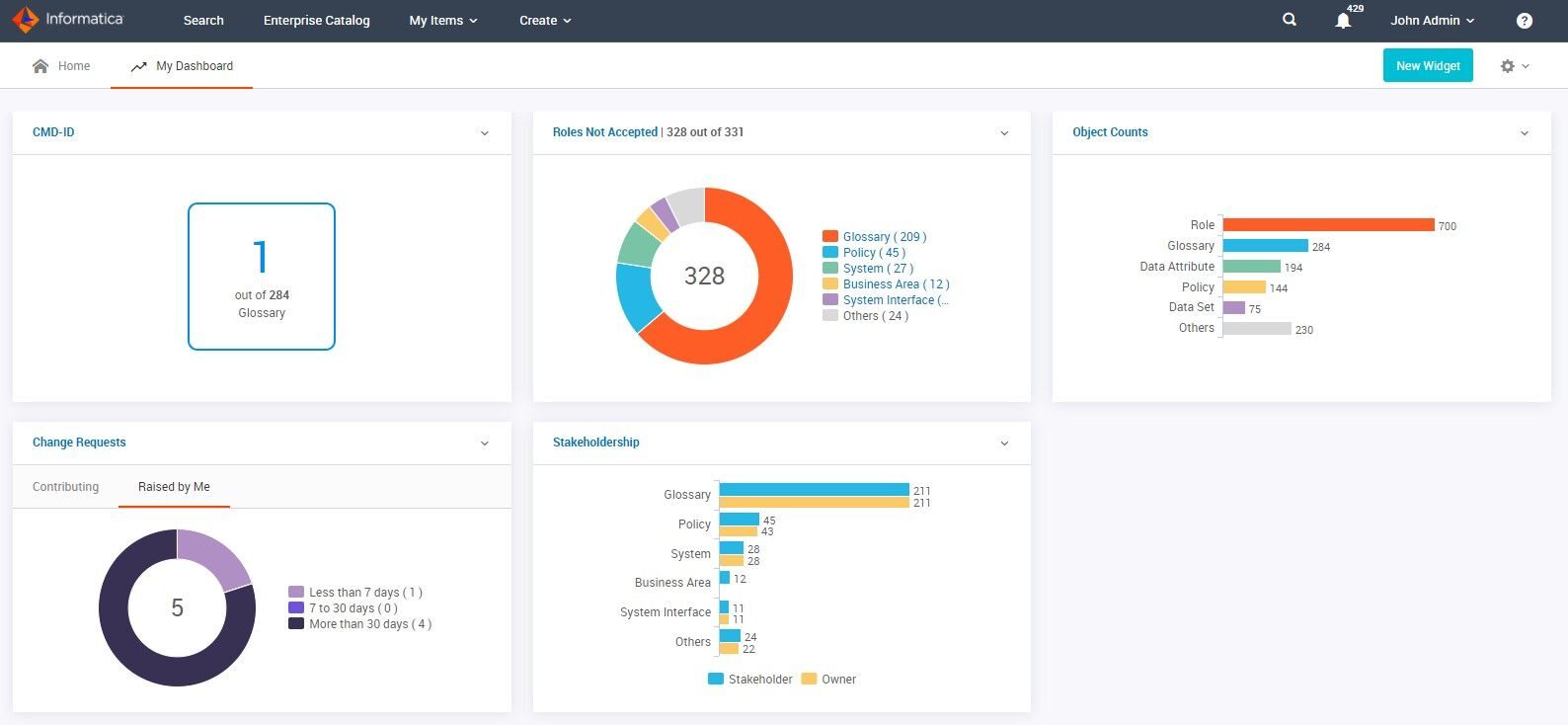
Informatica has been a leader in enterprise data integration for decades. Its cloud platform, Intelligent Data Management Cloud (IDMC), is designed to modernize and extend legacy tools like PowerCenter, with a strong focus on governance, compliance, and metadata management. (Informatica docs)
When to use it: large organizations with strict regulatory requirements, complex legacy systems, and existing Informatica expertise. It is widely used in industries such as financial services, healthcare, and government, where data governance and auditability are critical.
The trade-off is cost and complexity. Informatica is among the more expensive enterprise ETL platforms, and adopting IDMC, especially for organizations migrating from PowerCenter, can be a significant effort. Many teams currently using legacy Informatica tools are in the process of planning or executing a transition to cloud-based architectures, making long-term platform strategy an important consideration.
16. IBM InfoSphere DataStage

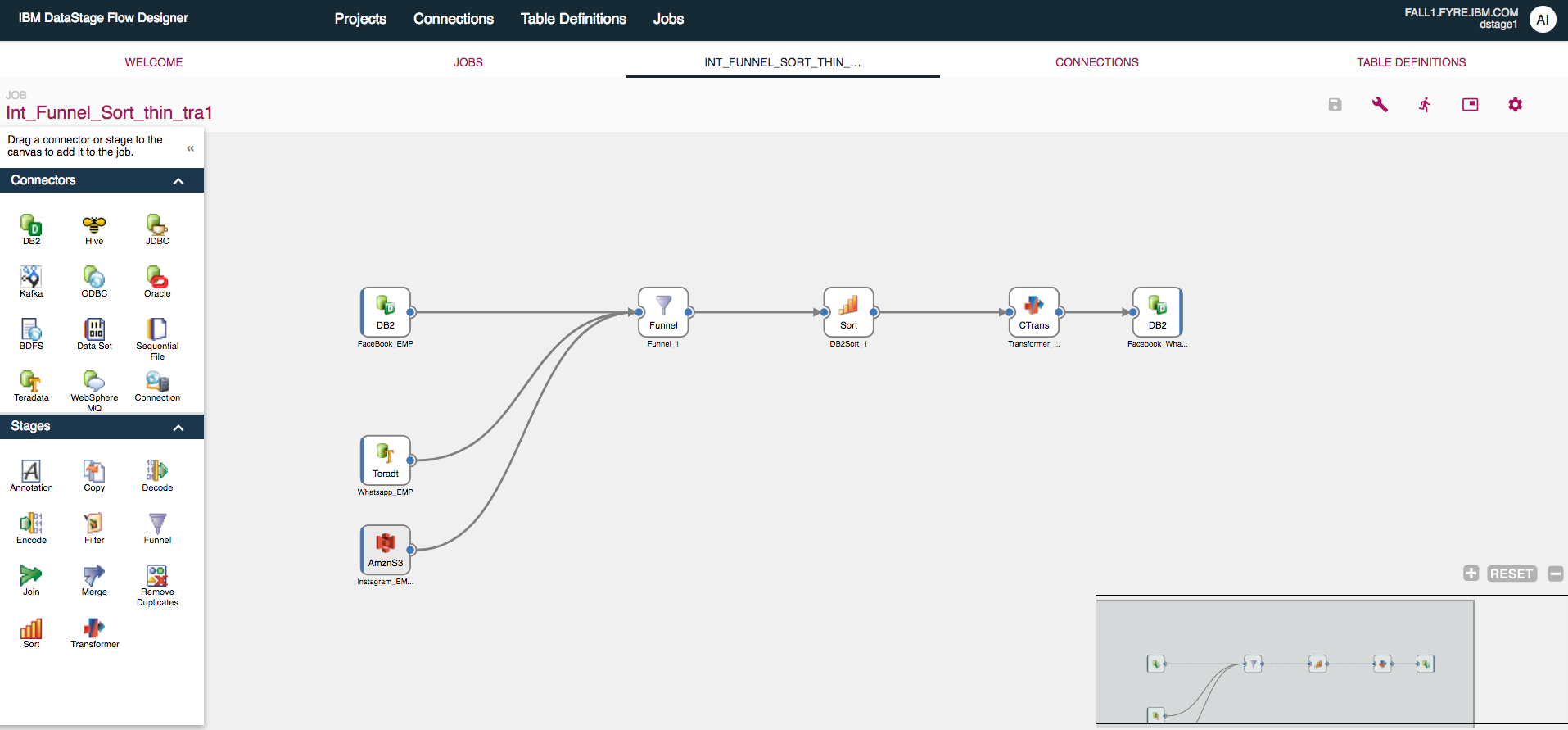
DataStage is IBM's enterprise ETL tool, part of the broader InfoSphere Information Server ecosystem. It uses a graphical framework for designing data pipelines that extract from multiple sources, perform complex transformations, and deliver data to target applications. DataStage is known for processing speed, with features like load balancing and parallelization that make it effective for high-volume workloads.
When to use it: large enterprises with diverse, high-volume data pipelines that require robust metadata management and automated failure detection. DataStage integrates with other IBM InfoSphere components, so it fits naturally if your organization already uses IBM's data management ecosystem. (IBM Docs)
The trade-off is the same as most enterprise tools: cost and complexity. DataStage requires significant expertise to operate effectively, and licensing costs reflect its enterprise positioning. It's also a heavier solution than what most small or mid-size teams need. In modern deployments, it is often used within IBM's broader data platform offerings such as Cloud Pak for Data. (IBM Cloud Pak for Data)
17. Oracle Data Integrator (ODI)

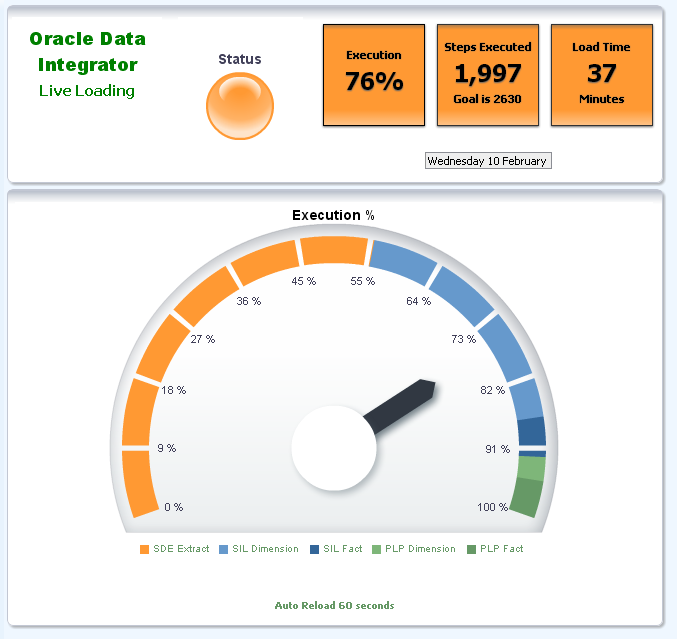
Oracle Data Integrator helps teams build, deploy, and manage complex data integration workflows. It provides out-of-the-box connectivity for a wide range of sources, including databases, applications, and file formats (such as XML and JSON), and supports high-performance data movement using an ELT approach. ODI's graphical interface, Data Integrator Studio, allows both developers and analysts to design and manage pipelines in a unified environment. (Oracle Data Integrator)
When to use it: organizations heavily invested in the Oracle ecosystem. ODI integrates tightly with Oracle databases, Oracle Cloud, and enterprise applications, making it a natural choice when Oracle technologies are central to your infrastructure. (Oracle Docs)
The trade-off is ecosystem dependency. ODI delivers the most value within Oracle-based architectures, and its advantages are reduced in more heterogeneous environments. Like other enterprise-grade tools, it also involves significant licensing costs and operational complexity.
18. Microsoft SQL Server Integration Services (SSIS)

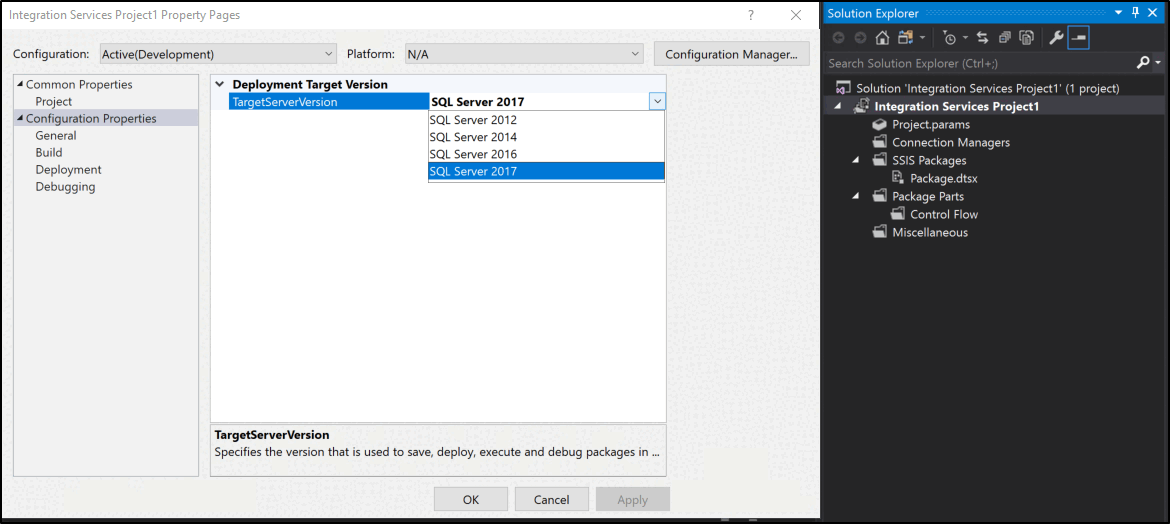
SSIS is Microsoft's enterprise platform for data integration and transformation, included with SQL Server. It provides connectors for flat files, XML, and relational databases, along with a visual development environment for designing data flows and transformations. A built-in library of components reduces the need for custom code.
When to use it: organizations already invested in the Microsoft SQL Server ecosystem. SSIS is included with SQL Server licensing, which can make it a cost-effective option for teams building and maintaining on-premises data pipelines. (Microsoft Docs)
The trade-off is cloud alignment and flexibility. SSIS was originally designed for on-premises environments, and while it can be extended to cloud scenarios (for example, via Azure Data Factory integration runtime), it is not a cloud-native solution. Compared to modern tools like dbt or Airflow, it can feel more complex and less flexible. For teams building new cloud-based pipelines, SSIS is typically not the first choice, but for organizations with existing SQL Server infrastructure, it remains a practical and widely used option.
19. Matillion

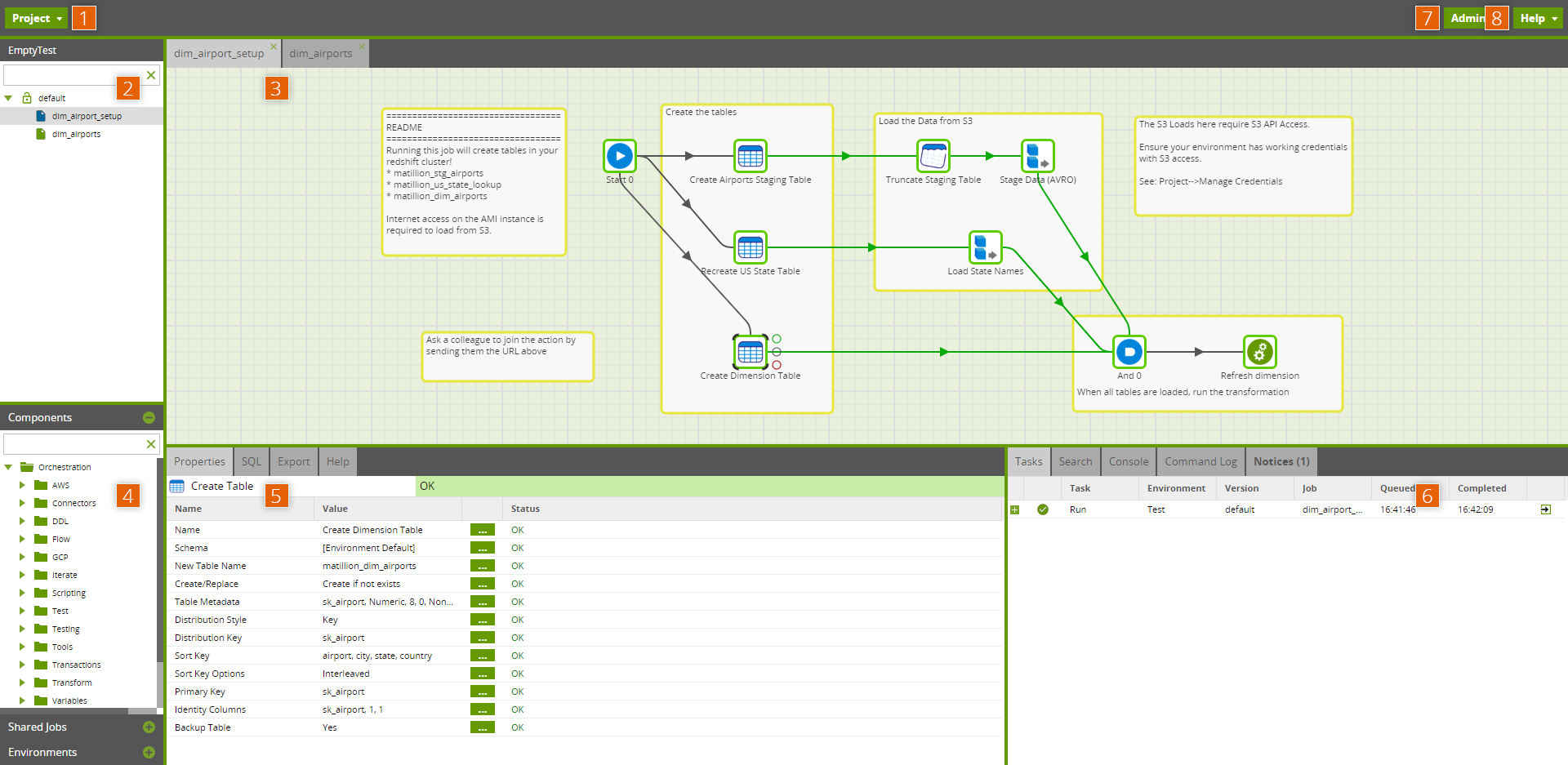
Matillion is a cloud-native ELT platform designed for building data pipelines around cloud data warehouses. It integrates with platforms like Snowflake, BigQuery, Redshift, and Azure Synapse, and provides a visual, drag-and-drop interface alongside SQL-based transformations for more advanced use cases. (Matillion docs)
When to use it: teams that want a visual ELT experience tightly integrated with their cloud warehouse. Matillion works well in environments where some team members prefer GUI-based pipeline development, while others use SQL for more complex transformations.
The trade-off is tight coupling to specific warehouse platforms. Matillion is built around the assumption that your data lives in a cloud warehouse, which makes it highly efficient in that context but less flexible for more heterogeneous architectures. Teams looking for a purely code-based transformation layer often choose tools like dbt instead, while Matillion provides a more end-to-end, visual workflow.
20. Hevo Data

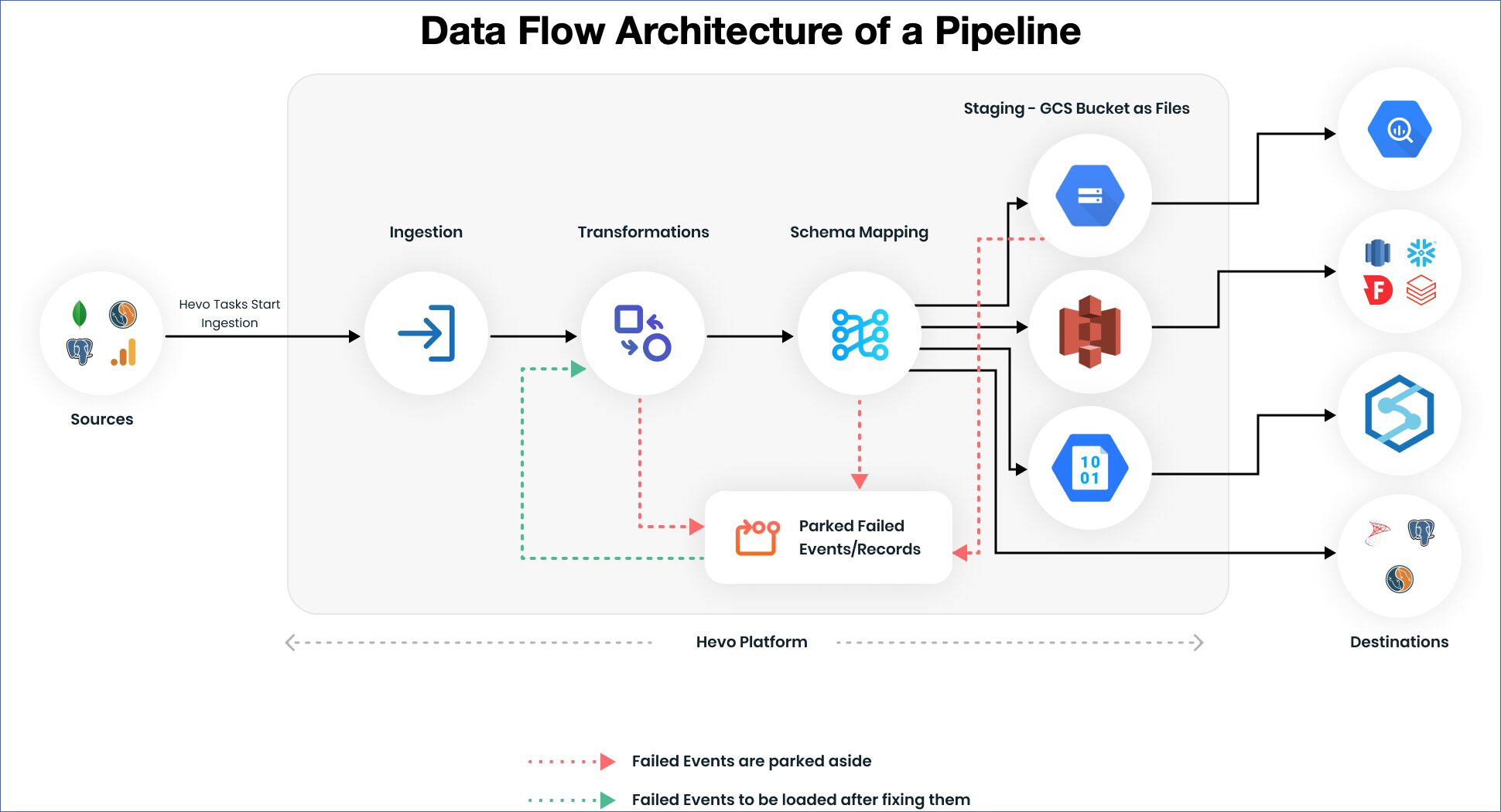
Hevo is a no-code ELT platform that provides 150+ connectors, near real-time data replication, and automatic schema management. It's designed to help teams move data quickly without building and maintaining custom pipelines. (Hevo docs)
When to use it: teams that prioritize fast setup and low operational overhead. Hevo works well for small to mid-sized teams, or for organizations that prefer a low-code approach to building data pipelines.
The trade-off is flexibility at scale. Hevo supports basic and intermediate transformations (including Python-based logic), but complex, highly structured transformations are typically handled downstream using tools like dbt. Compared to tools like Fivetran or Airbyte, Hevo emphasizes ease of use and real-time data movement over deep customization.
How to Choose the Right ETL Tool
With all these options, the most useful advice isn't "use Tool X", it's "match your tools to your situation." Here's a decision framework based on the most common team profiles.
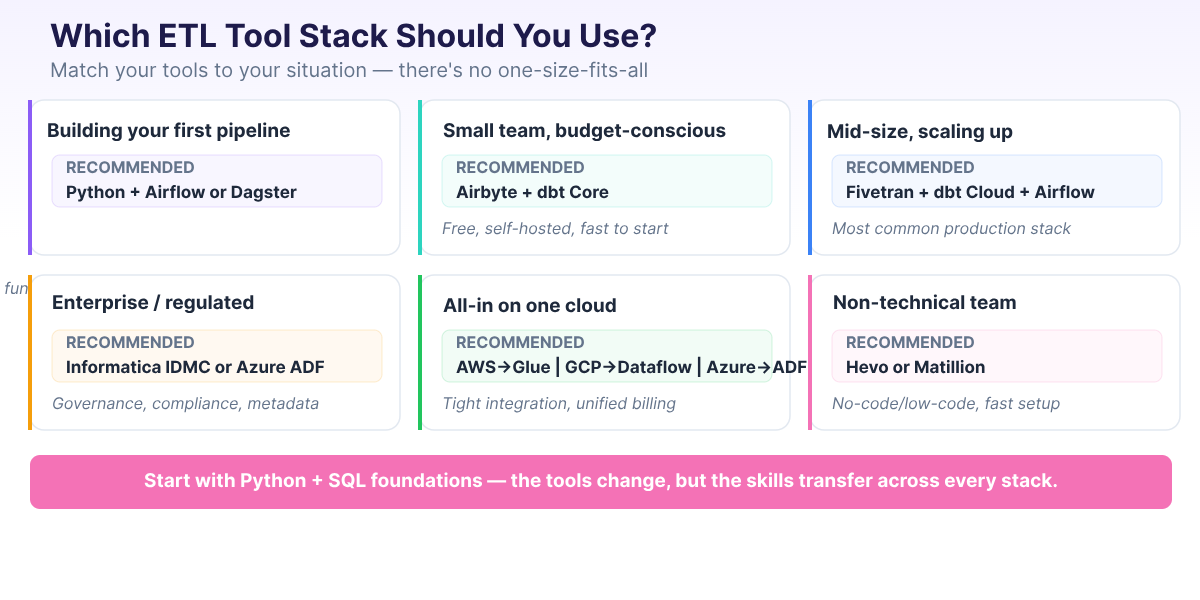
In practice, the best ETL tool is the one that works for your team, your data sources, and your budget. A common sentiment across practitioner forums is that Python paired with a good orchestrator gives you the most flexibility of any approach.
With that mindset, here's how to narrow your options:
- Building your first pipeline? Start with Python and a small, understandable workflow before adopting a managed ingestion tool. If you need scheduling, try a basic Airflow or Dagster project once the pipeline logic is clear. You'll understand what the managed tools are doing for you, and when they're worth paying for. Our Data Engineer Roadmap for Beginners lays out a realistic learning path.
- Small team, need data flowing fast? Airbyte (self-hosted) is free and pairs well with dbt Core for transformation, both are open source. Stitch is another option if you prefer a managed service with simpler setup, though it comes with row-based pricing. Either way, expect some operational overhead with self-hosted tools (infrastructure, updates, monitoring), but the stack can get you from zero to working pipelines in days.
- Scaling up at a mid-size company? Fivetran + dbt Cloud + Apache Airflow is one of the most commonly recommended production stacks among data engineering practitioners. It's reliable, well-documented, and has a large community for support. The cost is real, but the time savings are usually worth it.
- Enterprise with legacy systems and compliance requirements? Informatica IDMC or Azure Data Factory for governance, metadata management, and compliance. These tools handle the complexity of regulated environments, though they come with higher costs and longer implementation timelines.
- Committed to a single cloud provider? Use that provider's native tools. AWS → Glue. Azure → Data Factory. GCP → Dataflow. Native tools offer the tightest integration with the rest of your cloud services and simplify billing.
- Non-technical team that needs quick results? Hevo, Matillion, or Integrate.io offer low-code and no-code interfaces that let non-engineers build and manage pipelines. They're faster to set up than code-based tools, though less flexible for complex transformations.
One more piece of advice from the data engineering community: avoid low-code/no-code solutions if you want proper engineering practices. Version control, CI/CD, and automated testing are difficult (sometimes impossible) to implement with GUI-based tools. If your team has engineering capability, lean toward code-first tools that integrate with Git and standard development workflows.
| Your Situation | Recommended Stack | Why |
|---|---|---|
| Building your first pipeline | Python + Airflow or Dagster | Learn fundamentals, maximum flexibility |
| Small team, budget-conscious | Airbyte + dbt Core | open-source, self-hosted, fast to start |
| Mid-size, scaling up | Fivetran + dbt Cloud + Airflow | Common production stack in 2026 |
| Enterprise / regulated | Informatica IDMC or Azure Data Factory | Governance, compliance, metadata management |
| AWS ecosystem | AWS Glue + dbt | Serverless, tight AWS integration |
| GCP ecosystem | Dataflow + BigQuery + dbt | Unified batch/stream, native GCP |
| Azure ecosystem | Azure Data Factory + Synapse | Full Microsoft integration |
| Non-technical team | Hevo or Matillion | No-code/low-code, fast setup |
Build Your ETL Skills
The ETL landscape will keep evolving, new tools launch every year, existing tools get acquired or deprecated, and architecture patterns shift. But the fundamentals transfer across every tool change: Python, SQL, and understanding how data flows from source to destination.
If you're starting from scratch, here's a realistic learning path:
- Python and SQL foundations — these are non-negotiable. Most data engineering workflows involve Python, SQL, or both, even when the pipeline itself is managed by a tool.
- Build a simple ETL pipeline — extract from a CSV or API, transform with pandas, load into a database. Our PySpark ETL tutorial walks through this end to end.
- Learn dbt for transformations — SQL-based, version-controlled, and increasingly expected on job postings.
- Learn Airflow for orchestration — the dominant scheduling tool. Understanding DAGs and task dependencies is a transferable skill.
- Add cloud platform skills — pick one (AWS, GCP, or Azure) and learn its data services.
At Dataquest, our Data Engineer Career Path covers this full progression — from Python and SQL basics through PySpark, Airflow, dbt, Docker, and cloud deployment. Every lesson is hands-on, so you're building pipelines from day one instead of watching videos.
For a detailed breakdown of the skills data engineers need and realistic timelines for learning them, see our guide on data engineering skills for 2026.
FAQs
What is the difference between ETL and ELT?
ETL transforms data during transfer — between extraction and loading. ELT loads raw data first, then transforms it inside the destination system (usually a cloud data warehouse). ELT has become more common because cloud warehouses provide cheap, scalable compute for transformations. Most new data projects in 2026 follow the ELT pattern.
Is Python an ETL tool?
Python isn't an ETL tool in itself, but it's the most common language for building ETL pipelines. Paired with an orchestrator like Airflow or Dagster, Python gives you complete flexibility to extract from any source, transform with any logic, and load to any destination. Many experienced data engineers consider Python + an orchestrator to be the most versatile ETL approach available — though it requires more engineering effort than managed tools like Fivetran.
What is the most popular ETL tool in 2026?
It depends on what layer you're asking about. For managed ingestion, Fivetran is the most widely adopted. For open-source ingestion, Airbyte leads. For in-warehouse transformation, dbt is the clear standard. For orchestration, Apache Airflow remains dominant, with Dagster growing fast. The trend in 2026 is toward composable stacks (multiple specialized tools) rather than single monolithic platforms.
Are open-source ETL tools reliable for production?
Yes. Apache Airflow, Airbyte, and dbt Core are used in production at thousands of organizations, from startups to Fortune 500 companies. The trade-off is operational overhead — you manage the infrastructure, updates, and scaling. Managed cloud versions (Astronomer for Airflow, Airbyte Cloud, dbt Cloud) reduce this burden while keeping the core tool the same.
How much do ETL tools cost?
Costs range widely. Open-source tools (Airflow, Airbyte, dbt Core) are free but require engineering time to operate. Managed services typically charge based on usage — Fivetran's pricing scales with data volume, dbt Cloud charges per seat, and cloud-native services (Glue, Dataflow) bill for compute time. Enterprise tools like Informatica often use custom pricing based on deployment size. For budget-conscious teams, Airbyte + dbt Core is the most cost-effective production-grade stack.
Want to read more?
Check out the full article on the original site